Search, Filter & Select
Search across tracks, artists, and albums. Range selection with Shift, multi-select with Ctrl / ⌘, and quick context actions.
Transform your audio collection into a fast, private streaming service
you truly own.
Lightweight web player, time-synced lyrics, clean queue management, and OpenSubsonic API compatibility on your own server.
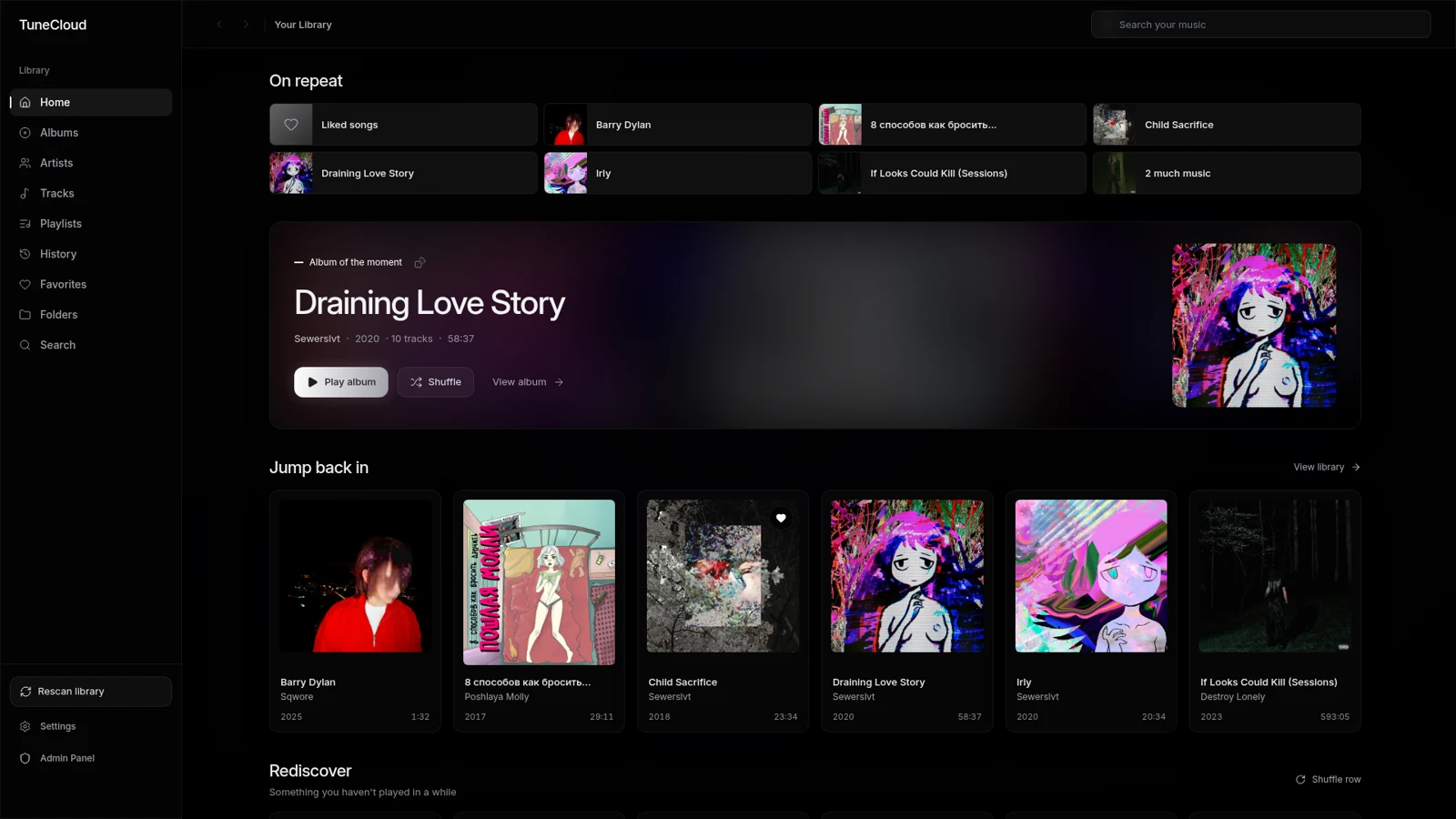
Stop relying on commercial streaming services that remove albums without notice. TuneCloud turns your local files into a modern streaming experience.
Audio files live on your own storage. TuneCloud indexes metadata and delivers fast playback without altering your directory structure.
Build queues, batch-select tracks with Shift/Ctrl, edit tags, and manage playlists. Everything is responsive and right where you expect.
Clean codebase, containerized Docker deployments, and GitOps configurations. Inspect, audit, and modify any component.
Real-time synchronized scrolling lyrics with active line focus and direct seek to any verse with a single click.
Queue tracks next, drag items to reorder, or clear the list with one click. The queue adapts to your flow, not the other way around.
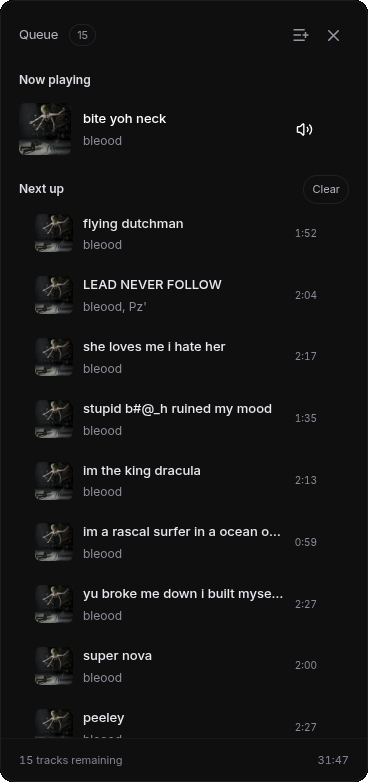
Search across tracks, artists, and albums. Range selection with Shift, multi-select with Ctrl / ⌘, and quick context actions.
Favorites, custom playlists, and full listening history — even if one track was on repeat all evening.
New and updated files sync smoothly. Artwork refreshes and moved tracks maintain their playlist relations.
Direct streaming of source audio files. Native support for FLAC, MP3, OGG, Opus, M4A, and WAV.
Sleep timer, queue state recovery, playback position resume, shuffle, and repeat modes.
Separate accounts with independent favorites and history. Administrator role for library scans and tag edits.
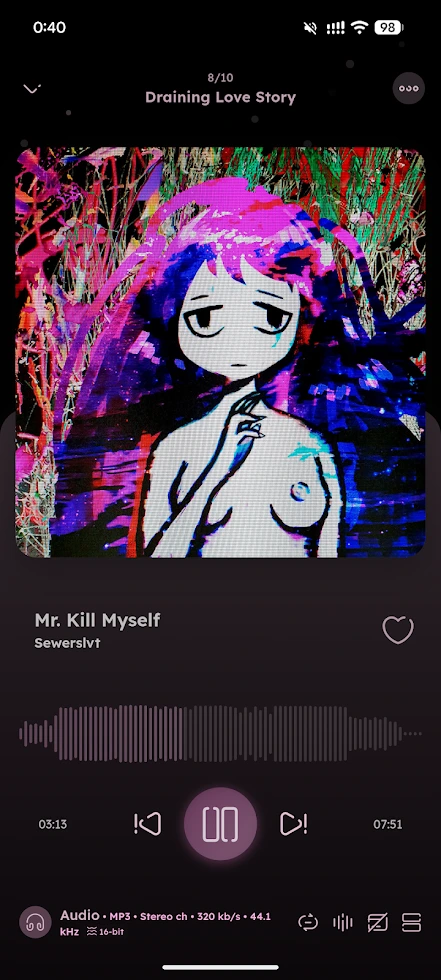
A responsive mobile web player with full artwork, synchronized lyrics, and smooth touch controls. Prefer a native mobile app? Connect your favorite Subsonic client.
Single server address and account credentials. Feature support may vary by client.
TuneCloud is built with production-grade DevOps practices: automated CI/CD pipelines, containerization, GitOps workflows, and full observability.
Checks & automated builds
App container images
k3s, Helm, Argo CD
Prometheus + Grafana
All you need is Docker Compose and your music directory. Fully open source — host at home on a NAS or on any cloud VPS.
git clone https://github.com/skippingclass/TuneCloud.git
cd TuneCloud
cp .env.example .envTuneCloud is designed for your own audio files. It indexes your collection on your server and turns it into a fast, private streaming web app and Subsonic API endpoint. A pre-loaded commercial catalog is not included.
No. Docker Compose is all you need for home servers, NAS, or simple VPS hosting. Kubernetes, Helm, and Argo CD are optional components for those interested in cluster GitOps.
TuneCloud streams your original audio files bit-for-bit with HTTP Range support for instant seeking. There is no lossy server transcoding, so playback quality is identical to your source files.
From local .lrc files alongside your tracks, embedded audio tags, and external lyric APIs like lrc.red and LRCLIB. Synchronized lyrics include active verse highlighting and seek-on-click.
Yes. Source code for both frontend and backend is publicly available on GitHub. You can inspect the code, suggest improvements, or build your own custom setup under the project license.
Self-host TuneCloud in minutes and stream your collection on your terms.